Medical Resident Headshot Tips: ERAS, LinkedIn & Program Profiles
The short version: you need one recent, professional, well-lit headshot — business attire, neutral background, genuine expression — and it will cover ERAS, LinkedIn, your program's website, and every conference badge for the next two years.
The classic resident mistake is treating the photo as a 30-second afterthought at 11pm before a deadline, using whatever the camera roll offers. Program coordinators notice; so do the attendings who Google you before your first rotation.
Here's what actually matters, and what doesn't.
The quality bar you're aiming for
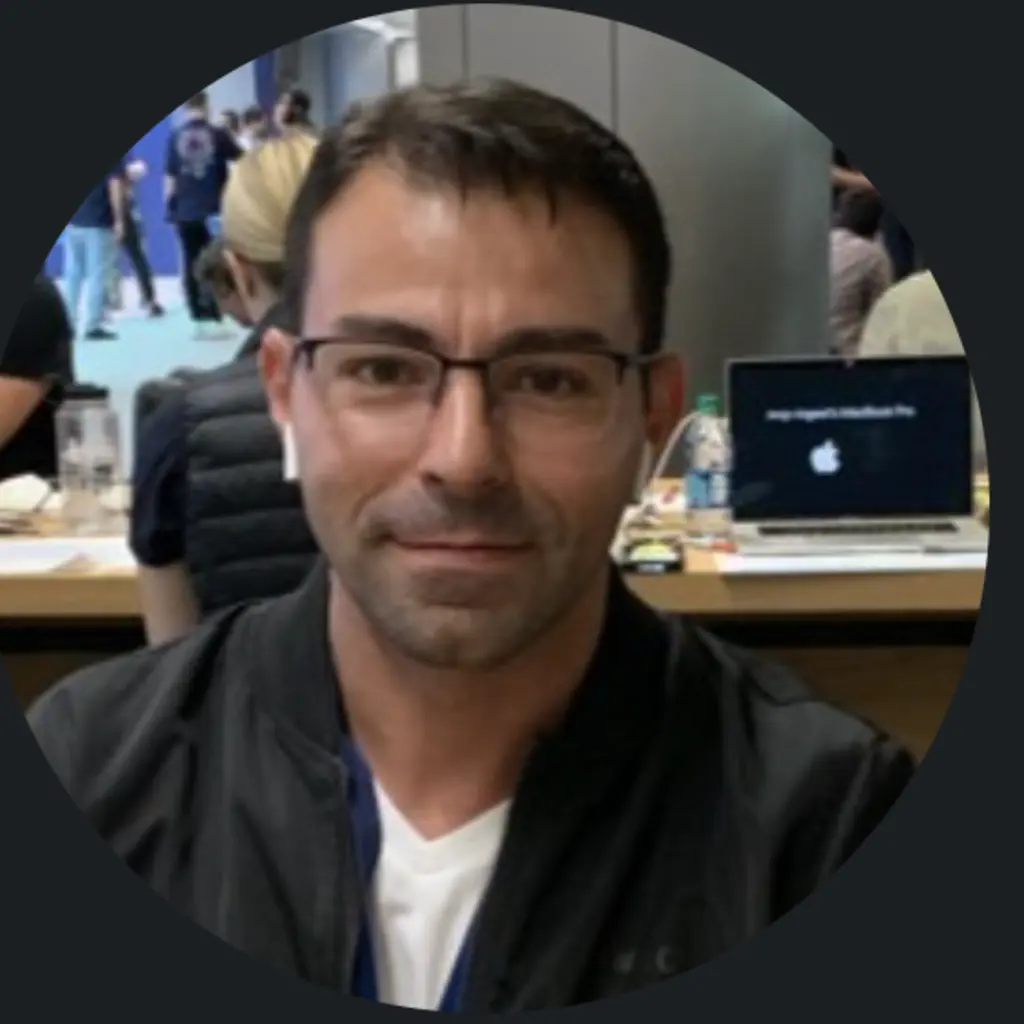
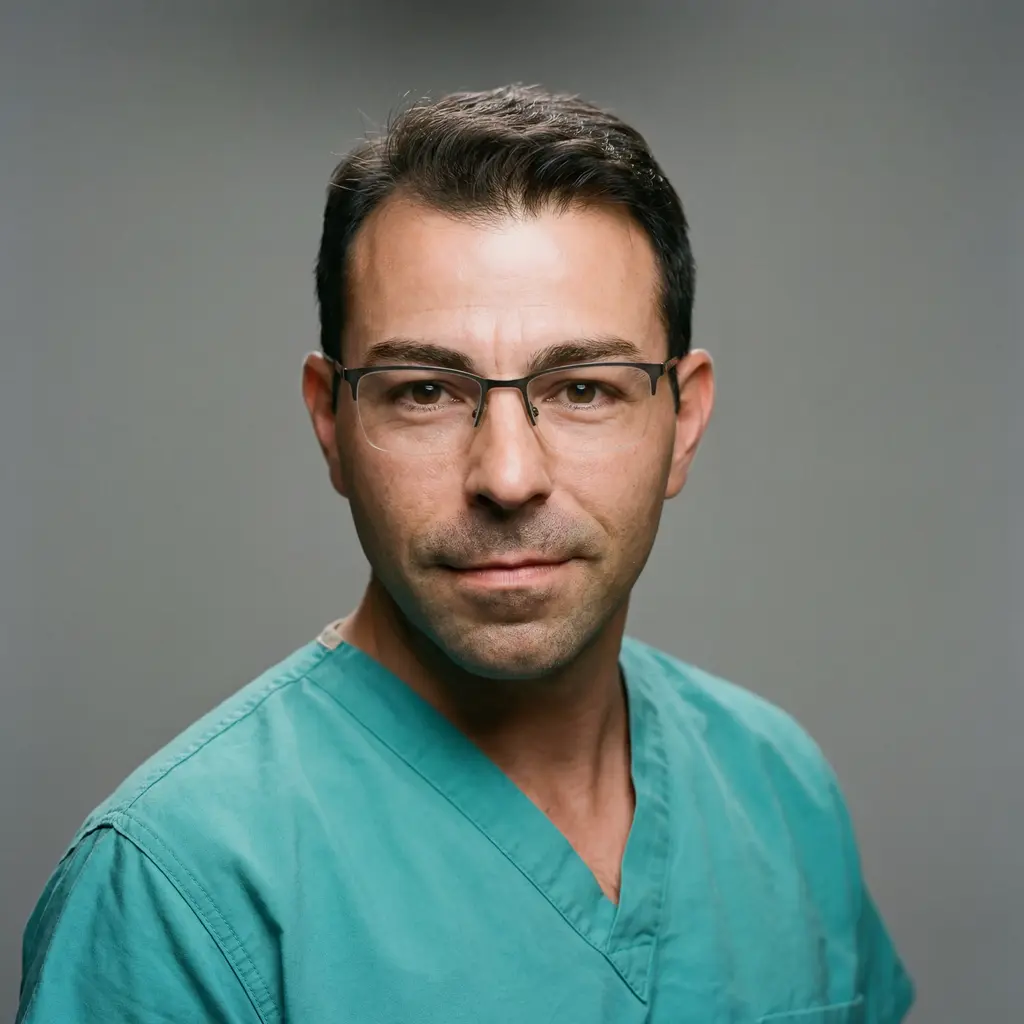
A real before/after: casual phone photo versus a generated professional headshot. This is the gap between 'found a photo' and 'has a photo' — and it takes about two minutes to cross.
What ERAS actually expects
ERAS requires a professional photo, typically passport-style: face clearly visible, plain background, recent enough that interviewers recognize you in the hallway. Sizes are commonly requested around 2.5 × 3.5 inches — confirm the current season's spec before uploading.
The unwritten rules matter more than the pixel spec: business attire (suit or blazer), neutral expression-to-soft-smile, nothing distracting. Programs see thousands of these; the goal is 'polished and normal,' not 'memorable.'
One photo, every platform
Keep one master headshot and crop it per platform instead of using different photos everywhere. Consistency is doing quiet work here: when your ERAS photo, LinkedIn, and program page all match, you look like someone with their act together.
- ERAS: passport-style crop, plain background
- LinkedIn: square crop, at least 400 × 400 px
- Program website & directories: 3:4 portrait, high resolution
- Conference badges & posters: whatever they ask, cropped from the same master
Attire: suit now, white coat later
For application-season photos, business attire is the convention — a blazer or suit jacket in a solid color. Save the white coat for after you've matched; on program pages and hospital directories it becomes exactly right.
Either way, avoid the scrubs-selfie-in-the-call-room genre for anything official. Iconic, yes. Application material, no.
The logistics problem (and the two-minute fix)
Residency and photography studios keep incompatible hours. Between shifts, a studio session means $150-400, an appointment three weeks out, and ironing a shirt on your one golden weekend.
The alternative: take one well-lit selfie by a window, upload it to MedshotsAI, pick business attire and a clean background, and download a 4K professional headshot about two minutes later. There's a free watermarked preview, so you can check it passes your own bar before paying $0.99 for the real set.
Quick pre-upload checklist
Sixty seconds of quality control before you submit anything:
- Taken within the last year (interviewers should recognize you)
- Face sharp and well-lit — no shadows across the eyes
- Plain, non-distracting background
- Business attire, solid colors
- Same photo (or crops of it) everywhere your name appears
Frequently Asked Questions
Related Pages
Application-ready in one call-room break
One selfie in, a professional headshot out — sized for ERAS, LinkedIn, and your program page. Free preview first.