Free AI Headshot Generator for LinkedIn: What's Actually Free (2026)
You searched for a free AI headshot generator for LinkedIn, clicked three tools, and every single one asked for your credit card before showing you anything. We know. It's a whole genre.
So let's be straight about it: what does 'free' actually get you in 2026, how do you generate a genuinely free LinkedIn headshot in about two minutes, and when is it smarter to just spend five bucks?
This is written by a company that sells headshots, so you know where our bread is buttered — but the free option below is real, works without a card, and you can leave with your photo.
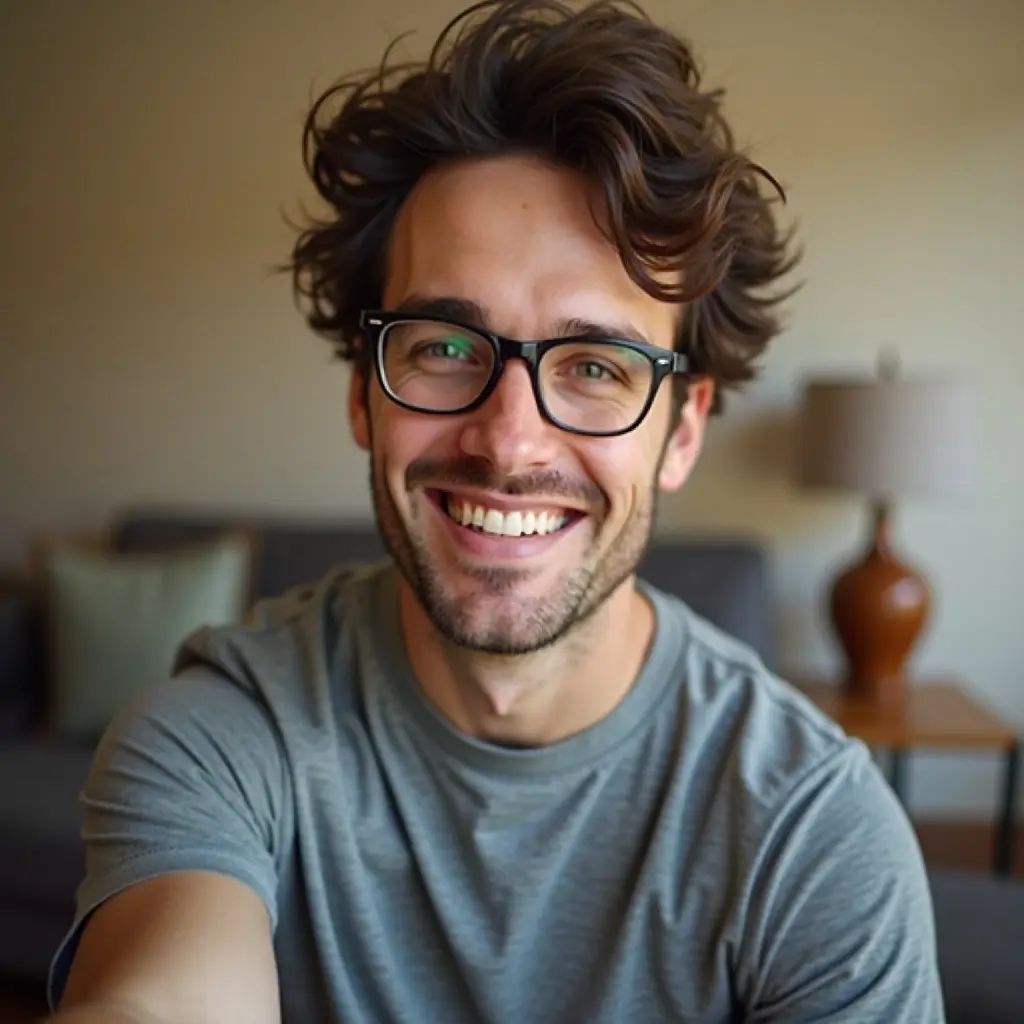
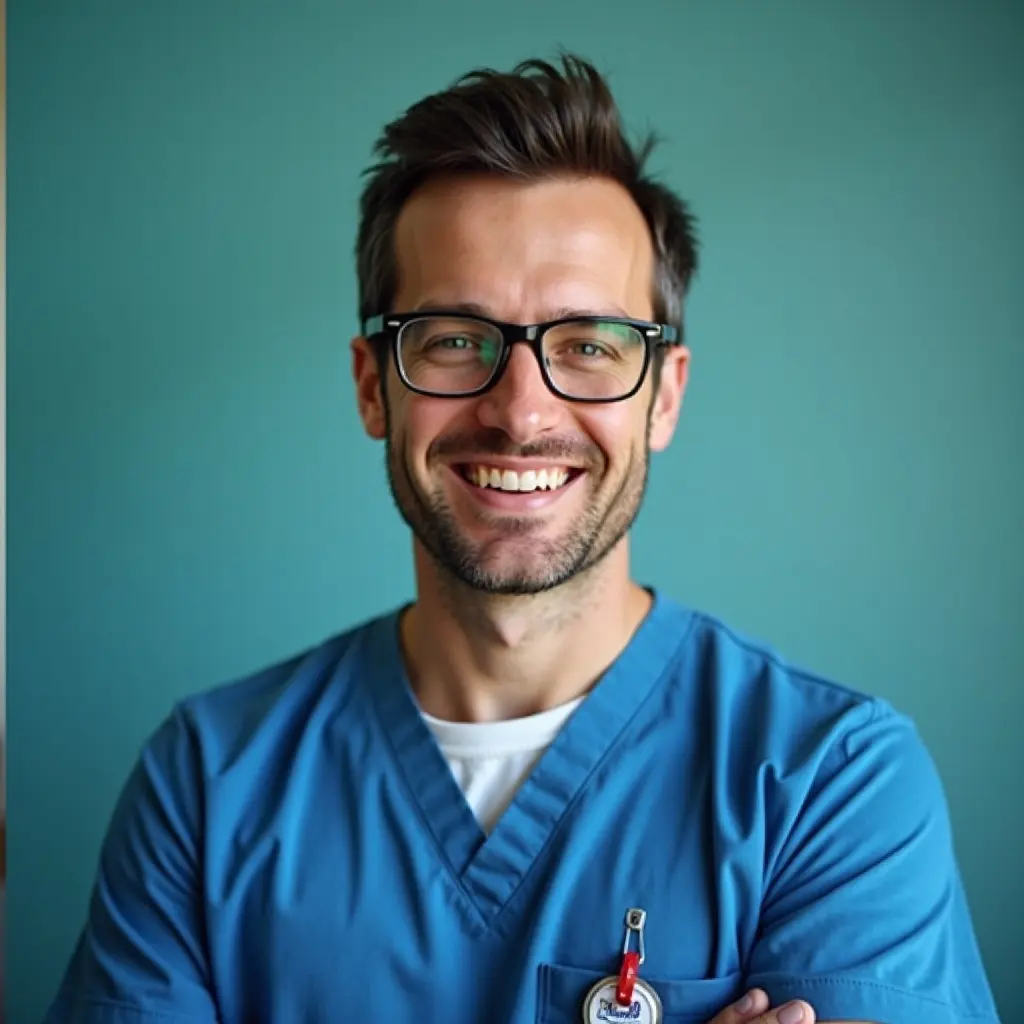
What one selfie turns into
This is real output from the generator described below — one casual phone selfie in, a LinkedIn-ready headshot out. The free preview shows you exactly this before you pay anything.
What 'free' usually means in AI headshot tools
Almost every 'free AI headshot generator' falls into one of three buckets:
- Free trial, card required — you'll be charged if you forget to cancel. Not free, just patient.
- Free credits after signup, watermarked results at low resolution — free-ish, and honestly fine for testing
- Actually free, watermarked preview, no card — rare, but it exists (hi)
How to get a free LinkedIn headshot in 2 minutes
Our free LinkedIn headshot generator works like this: you upload one selfie, pick a style (LinkedIn suit, CV blazer, medical white coat, or smart casual) and a background, and about a minute later you get a preview headshot. No card, no account required.
The free version is watermarked and 512 pixels — big enough to judge whether it looks like you on a good day, which is the whole point of a preview.
Two honest tips for better results: use a well-lit photo taken at eye level, and skip sunglasses and heavy filters. The AI can change your outfit; it cannot negotiate with a photo taken from inside a cave.
Free vs paid: the actual difference
The free preview uses our standard model. Paid photos use the full studio: 4K Ultra HD resolution, no watermark, and every combination of attire, background, expression, and accessories — plus marketing shots of you in real clinical scenes.
The paid math is simple: $0.99 for 5 photos, one-time, no subscription. For comparison, a traditional photographer runs $300-800 and involves finding a parking spot.
- Free: 1 watermarked preview at 512px — great for testing, fine for deciding
- Paid: 4K, no watermark, all styles — $0.99 for 5 photos, credits never expire
- Teams: from $4.99/month if your whole practice needs matching headshots
Does LinkedIn allow AI headshots?
Yes. LinkedIn's rules require that your profile photo be of you — they don't care whether a camera or a diffusion model captured your good side. An AI headshot generated from your own selfie is a photo of you.
What gets people in trouble is using a photo of someone else (or a heavily 'idealized' face that doesn't match how you look on video calls). Keep it looking like you and you're fine — recruiters will meet the same person they saw on your profile.
When free is genuinely enough
If you just need a placeholder while you're between roles, or you want to check whether AI headshots are for you, use the free one and move on with your life. We mean it.
Upgrade when the photo has a job to do: recruiters screening your profile, patients choosing a provider, a hospital directory that currently shows a cropped wedding photo from 2016. That's when 4K and no watermark start paying rent.
Frequently Asked Questions
Related Pages
Try it free — no card, no catch
Upload one selfie and see your LinkedIn headshot in about a minute. If you love it, 5 HD photos cost less than lunch.